Any network
Home, office, mobile data: once two devices are paired they find each other wherever they are.
Pair two devices once, then send photos and files between them from any network. No account, no cloud storage, nothing to set up.
Yonder in the browser is closed until . It has used this month's share of Yonder's server. The desktop apps work as always.
Free. Works with LocalSend on the same network.
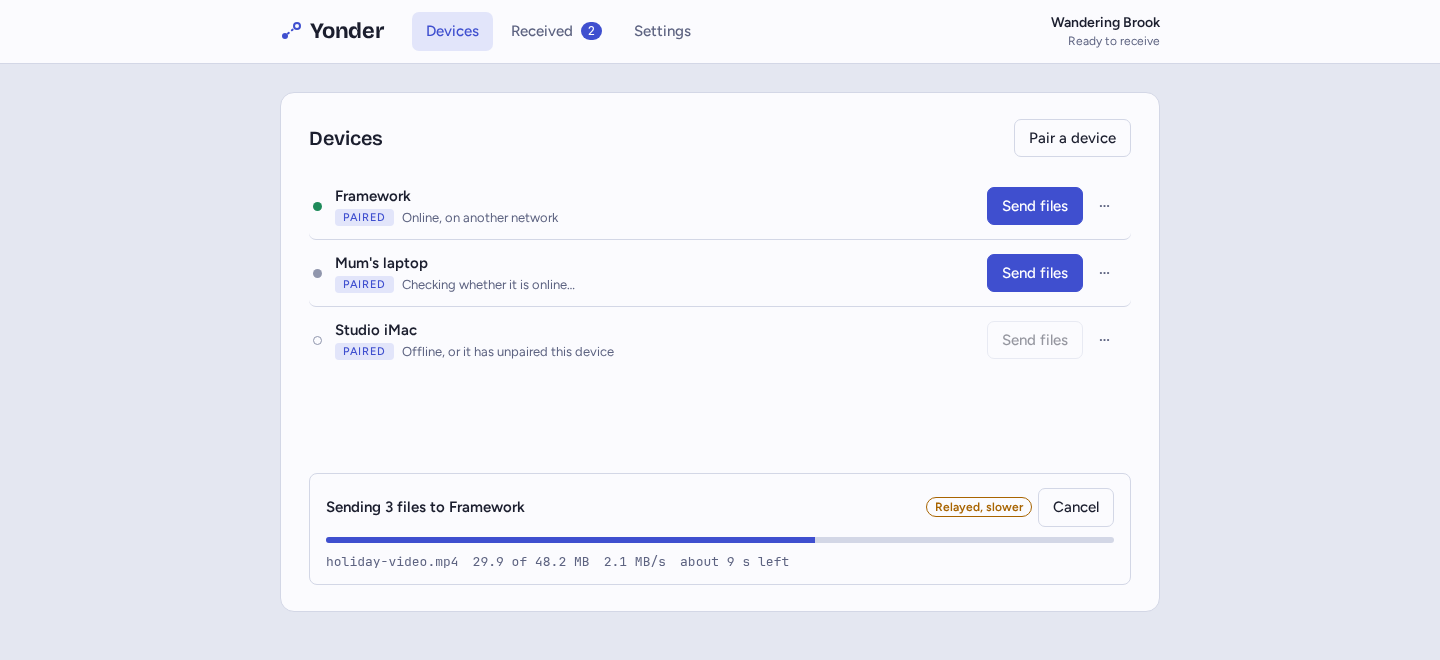
Home, office, mobile data: once two devices are paired they find each other wherever they are.
Nothing to sign up for. Pair by scanning a code or pasting a one-time link.
Files go from one device to the other, encrypted the whole way. No server stores them: Yonder's own only introduces devices to each other and passes the encrypted connection along.
On the same network, the desktop app sends to and receives from the LocalSend app as it is.
On a phone or a borrowed computer, open this site and use Yonder in the browser.
The code is on its way to GitHub. Repository soon
Phones, tablets and any computer. Keep the page open while files travel.
Open YonderWindows 10 and 11.
On GitHub soonApple silicon and Intel.
On GitHub soon64-bit, with a tray icon.
On GitHub soon